When using Octopus Deploy it is common to have other automated services control certain aspects of your deployments. Some examples:
- You might configure your build server to push deployment packages to the built-in package feed, create releases, and deploy them to your test environment after each successful build.
- You might be deploying to an elastic environment and want to add/remove deployment targets dynamically via the Octopus API.
- You might have your own dashboard solution and want to get data directly from the Octopus API.
It is best to create Service accounts for this purpose to provide each service with the least privileges required for the tasks each service will perform.
Service accounts are API-only accounts that can be assigned permissions in the same way you do for normal user accounts, but are prevented from using the Octopus Web Portal.
Service accounts authenticate with the Octopus API using OpenID Connect or an Octopus API Key.
Creating a service account
Getting Started - Service Accounts
Creating a new Service account is very similar to creating a new User account:
- Go to Configuration ➜ Users and click Create user.
- Check The user is a service account to indicate this will be a Service account.
- Enter a unique Username and Display name so you can distinguish this Service account.
- Save the user to create the Service account.
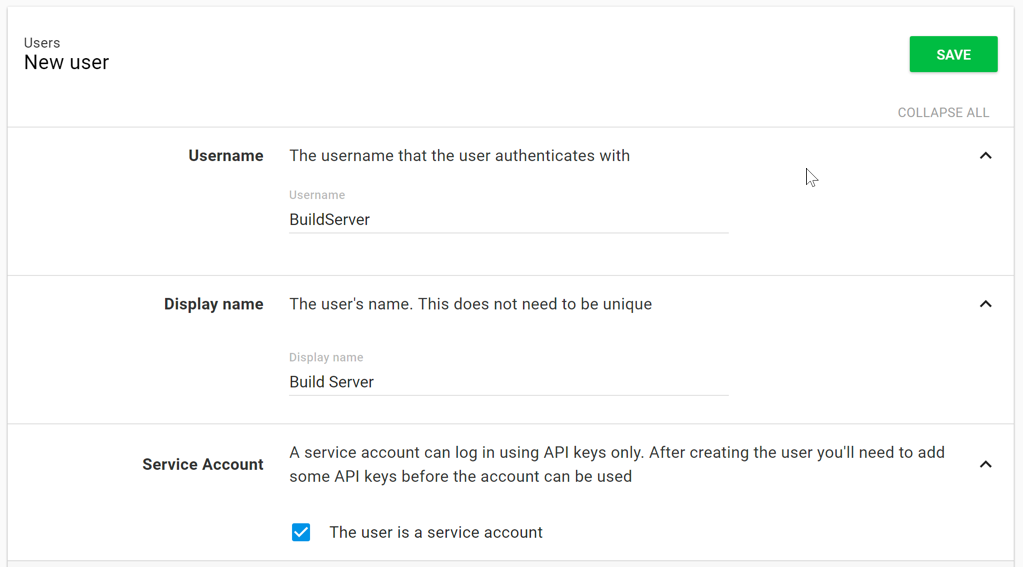
This Service account is not very useful until it belongs to one or more teams, and has one or more OpenID Connect Identities or Octopus API keys associated with it.
OpenID Connect (OIDC)
You can use OpenID Connect (OIDC) to automate Octopus with another service without needing to provision or manage API Keys. To do this you configure a specific OIDC Identity for the service which allows it to connect to Octopus securely. The service then exchanges an ID token with Octopus for a short-lived access token which it can then use for API requests.
API Keys
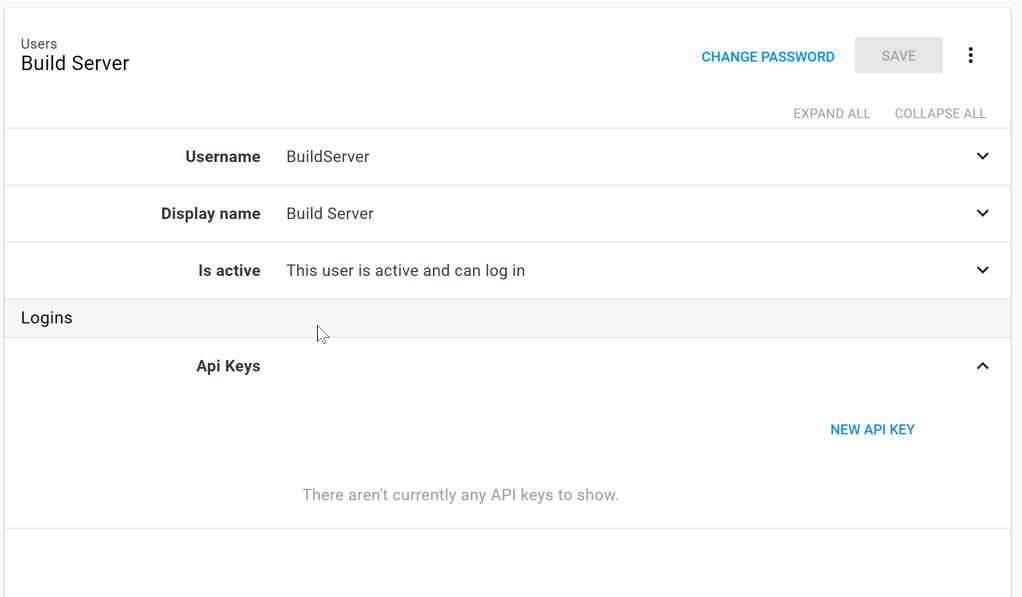
Once you have created an Octopus API key and added this Service account to a team, you can start using this Service account to automate Octopus with another service.
Agent service accounts
If you’re connecting an AI agent to Octopus—such as the Octopus MCP server or any other automated tooling that runs without a human user session—create an Agent Service Account rather than a regular service account. Agent service accounts are a dedicated identity type for AI agents, and they’re labeled as such across the product, making agent activity easy to identify and audit.
Any API key created under an agent service account is automatically treated as an agent key. This means you can filter for agent activity separately from human activity in the audit log and on the API Keys page.
To create an agent service account:
- Go to Configuration ➜ Users and click Add AI service account.
- Enter a Service Username and Service Display Name for the agent.
- Save the user.
Once created, add the agent service account to one or more teams to grant it the permissions it needs, then create an agent API key for it.
Logins
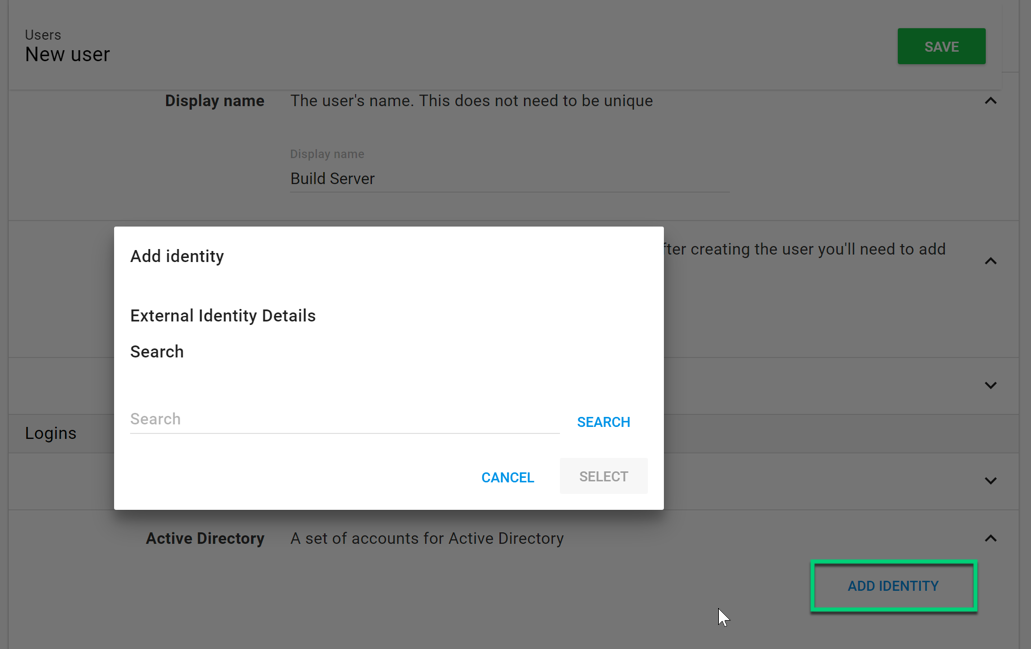
If you are using Active Directory there is also the option of using an Active Directory account’s group membership to determine the service account’s Team membership. To use this option all you need to do is add the Active Directory account as an external login entry for the service account.
Help us continuously improve
Please let us know if you have any feedback about this page.
Page updated on Friday, June 19, 2026